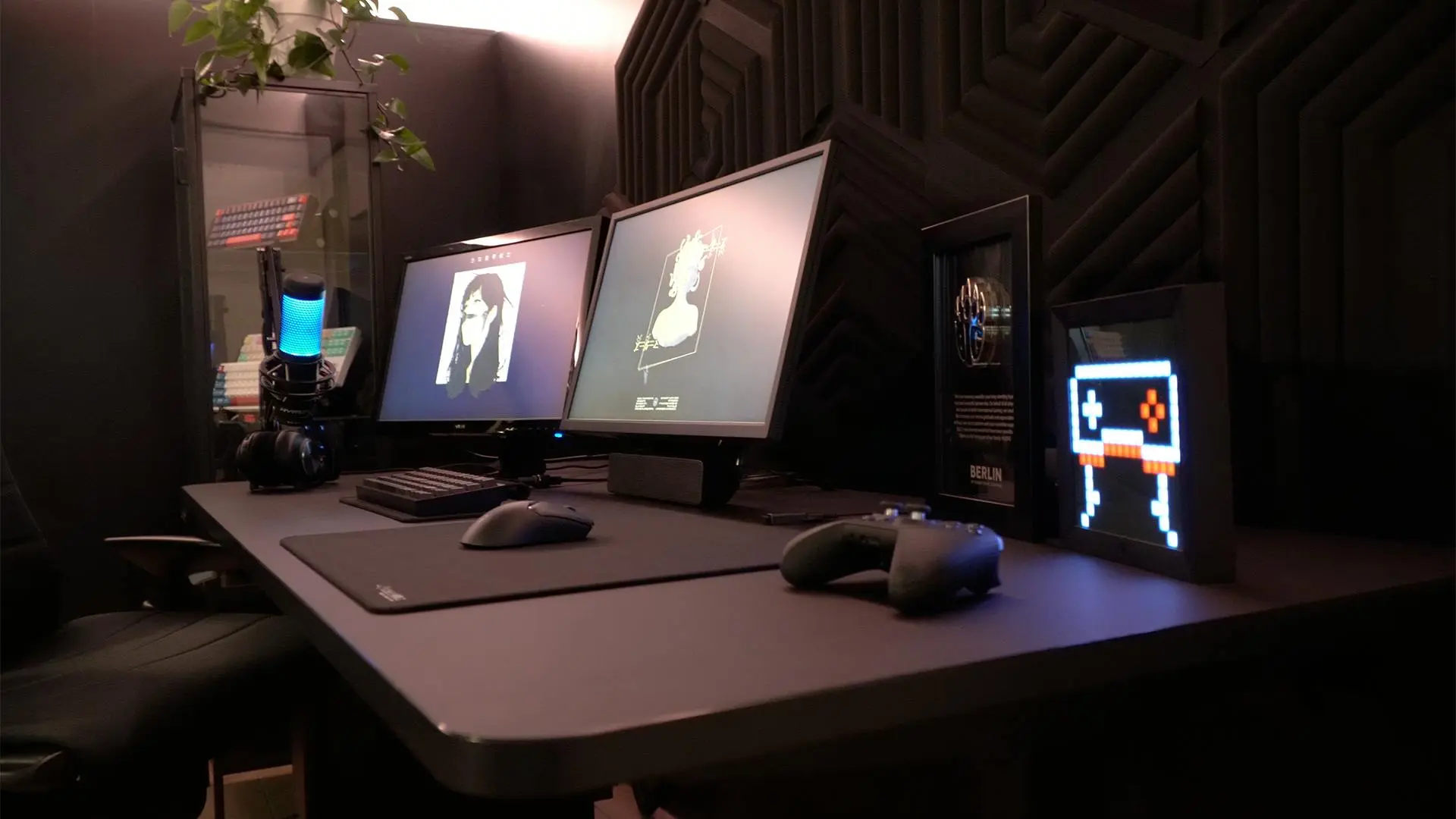
There's a curious gap between what gaming setup advice often tells you and what actually matters in practice. Browse YouTube or Reddit for setup guides and you'll quickly find yourself drowning in recommendations for the latest hardware at prices that assume an unlimited budget. The truth is somewhat simpler: most of what makes a gaming setup good has less to do with specs and price tags than with a few key fundamentals done reasonably well.
This guide is written for people building their first dedicated gaming space — whether that's a corner of a bedroom or a spare room given over entirely to the hobby. The focus is on what genuinely improves your experience and what you can safely deprioritise when starting out.
Start With What You Have
Before buying anything, take stock of what you already own. Many people already have a functional computer, a decent TV, or a smartphone capable of reasonable gaming. Building from an existing base is almost always more efficient than starting from scratch.
If you're setting up around a console — a PlayStation, Xbox, or Nintendo Switch — the hardware question is already answered. The console itself is your gaming machine, and the peripherals you choose around it will define your experience. If you're building a PC gaming setup, the computer is the central investment, and everything else supports it.
The first question worth asking is what kind of gaming you want to do, because the answer shapes everything else. Competitive FPS games have different equipment priorities than casual single-player RPGs, and someone who wants to stream their gameplay needs different considerations than someone who plays entirely for personal enjoyment.
The Display: More Important Than Most Things
If there's one piece of equipment worth spending a reasonable amount of money on from the start, it's your display. Everything you do in gaming is filtered through your screen, and the quality of that experience — the clarity, the responsiveness, the size — affects every session you'll ever have.
For PC gaming, a dedicated gaming monitor typically offers better performance than a television. The key specifications to understand are resolution, refresh rate, and response time.
Resolution describes how many pixels make up the image. 1080p (Full HD) remains a perfectly solid option for most setups and is the most affordable. 1440p (Quad HD) offers a noticeably sharper image and represents a good balance of quality and cost. 4K (Ultra HD) is stunning but demands significantly more powerful (and expensive) hardware to run games at that resolution smoothly.
Refresh rate is measured in Hz and describes how many times per second the screen refreshes its image. A 60Hz monitor refreshes 60 times per second; a 144Hz monitor refreshes 144 times. For fast-paced games, a higher refresh rate produces noticeably smoother motion. If you're primarily playing slow-paced or turn-based games, the difference matters less. For competitive gaming, higher refresh rates (144Hz and above) make a meaningful difference.
Response time describes how quickly pixels transition between colours, measured in milliseconds. Lower is better, particularly for fast games. For casual gaming, this matters less than refresh rate.
Practical advice: A 1080p or 1440p monitor at 144Hz offers a noticeably better gaming experience than most standard office monitors and doesn't require premium-tier hardware to use effectively. For first setups, this is often the best value position.
Your Chair and Desk: The Physical Foundation
Gaming setups exist in physical space, and how you're positioned during long sessions matters for both comfort and health. This is an area where sensible spending pays genuine dividends over time.
A well-positioned desk and chair matter far more than how either of them looks. You should be able to sit with your feet flat on the floor, your thighs roughly parallel to the ground, and your monitor at eye level or very slightly below. This isn't gaming-specific advice — it's basic ergonomics, but gaming enthusiasts sometimes forget it in the rush to buy RGB everything.
Gaming chairs are heavily marketed and vary enormously in quality. The racing-seat style popular in the gaming market looks the part but isn't necessarily superior to a good office chair for actual comfort and posture support. Some people find gaming chairs excellent; others prefer the support profile of a conventional ergonomic office chair. If you can test a chair before buying, do — sitting in something for thirty seconds in a shop tells you very little about how it feels after four hours.
Desk height and size matter practically. You need enough surface area for your monitor, keyboard, mouse, and whatever else you use regularly, without it feeling cramped. Adjustable-height desks are genuinely useful if you want the option to stand while gaming or working, but they're a luxury rather than a necessity.
Input Devices: Keyboard and Mouse for PC
If you're gaming on PC, your keyboard and mouse are your primary interface with every game. The quality of these devices affects how you interact with everything you play, which makes them worth thinking about carefully.
Gaming mice differ from standard office mice primarily in sensor accuracy, polling rate (how often the mouse reports its position to the computer), and ergonomics. For most gaming, a mid-range mouse with a reliable optical sensor is sufficient. The enormous variety of gaming mice available — different sizes, button layouts, wired versus wireless — means personal preference plays a large role. If you can handle a few in a shop, it helps.
Wired mice have traditionally been preferred for competitive gaming because they eliminate any potential wireless latency, though modern high-end wireless mice have closed this gap to the point where it's barely relevant for most players.
Mechanical keyboards are a significant upgrade from membrane keyboards for gaming. They use individual mechanical switches under each key rather than a rubber membrane, which typically produces more satisfying, consistent keystrokes with clearer tactile feedback. Different switch types (often described as "linear," "tactile," or "clicky") produce different feels and sounds. Mechanical keyboards range from budget to expensive, and even entry-level mechanical options offer a noticeably improved experience.
Keyboard size is also worth considering. Full-size keyboards include a number pad; tenkeyless (TKL) keyboards omit it; 60% and 65% keyboards remove further keys. Smaller keyboards leave more desk space for mouse movement, which matters in games where you use wide, sweeping mouse arcs.
Audio: Often Overlooked, Genuinely Important
Sound quality in gaming affects the experience more than many people realise before they've tried it. Directional audio — hearing footsteps from the left, a distant gunshot from above — can be practically useful in competitive games. In story-driven games, a quality audio experience simply makes everything more immersive.
The choice between headphones and speakers largely comes down to your situation. If you game in a shared space or late at night, headphones are the practical solution. If you have your own room and want a more open listening experience, a decent pair of stereo speakers on your desk can be excellent.
Gaming headsets are the most common choice and offer audio and microphone in one unit. Quality varies enormously — some cheaper headsets look impressive but sound poor, while others in similar price ranges perform well. Reading reviews that focus on audio quality, not just feature lists, is worth the time before buying.
A separate microphone and headphones combination is often preferred by streamers or people who game with others frequently, as dedicated microphones typically produce better voice quality than the microphones built into headsets. However, for most beginners, a reliable all-in-one headset is the sensible starting point.
Connectivity and Internet
Online gaming depends on a stable internet connection, and poor connectivity causes more frustration in online games than almost any other technical factor. High ping (the delay between your inputs and the game server's response), packet loss, and disconnections can make online play genuinely unpleasant.
A wired ethernet connection is more reliable than Wi-Fi for gaming — it's more consistent, generally lower latency, and not subject to interference from other devices or walls. If your gaming setup is close to your router, it's worth running an ethernet cable rather than relying on wireless.
If a wired connection isn't practical, a Wi-Fi 6 router in a reasonably clear signal environment performs well for gaming. The key is consistency — a stable connection at moderate speeds is better than a fast but variable one.
Lighting and Atmosphere
RGB lighting is a significant part of gaming setup culture, and it's entirely optional. LED strips around a monitor, RGB fans in a PC case, and illuminated keyboards are popular for aesthetic reasons — they look good in photos and create a pleasant atmosphere in a darkened room.
What's genuinely useful from a practical standpoint is having enough ambient light in your gaming space that you're not straining your eyes by staring at a bright screen in a completely dark room. Bias lighting — a soft light source behind your monitor — can reduce eye strain during long sessions. This can be achieved affordably with LED strip lights, completely separate from any RGB aesthetic consideration.
The practical summary: Invest meaningfully in your display and your sitting position. Choose input devices that feel right for your hands. Sort your audio situation. Everything else is secondary — build from basics, upgrade as you learn what matters to you personally.
A Note on Budget and Patience
Building a setup doesn't have to happen all at once. Buying the right things gradually, when you have the budget and clearer priorities from experience, is far better than rushing to assemble everything at once with compromises across the board.
Used and refurbished equipment can offer significant savings — monitors, mechanical keyboards, and audio equipment in particular tend to hold up well over time. The second-hand market for gaming peripherals is active and well-documented, with communities on Reddit and dedicated forums offering advice.
Finally: your setup is in service of the games you play, not the other way around. The most elaborate, expensive gaming environment in the world doesn't automatically mean you'll have more fun. The best setup is the one that works for you, fits your space, and lets you focus on what matters — actually playing and enjoying the games.